Updating the Hardware Key if PTW is not installed on the Server
Download and extract the following zip file to the server: http://www.skmsupport.com/PTW_V6.5_Network_Files.zip
- If you have a red USB HASP HL key, run firmwareupdate.exe.
- Run HASPUserSetup.exe to install the new hardware key drivers for PTW V6.5.
- Click on the Start Button > Run
When the Run window comes up, click the "Browse Button" and browse for Alauser.exe then double-click on it. After *.exe, type
nethasp. Example: "C:\PTW32\bin\AlaUser.exe nethasp" Once the above steps have been completed, click OK. A new screen should appear with your serial number. Type in the provided PTW V6.5 enable codes and click on Update. - Make sure the Aladdin License Manger is installed and running on the computer where the hardware key is attached. The License Manager installer can be found in PTW32\Bin\lmsetup.exe. After it has been installed, make sure that the License Manager is running in the task bar:

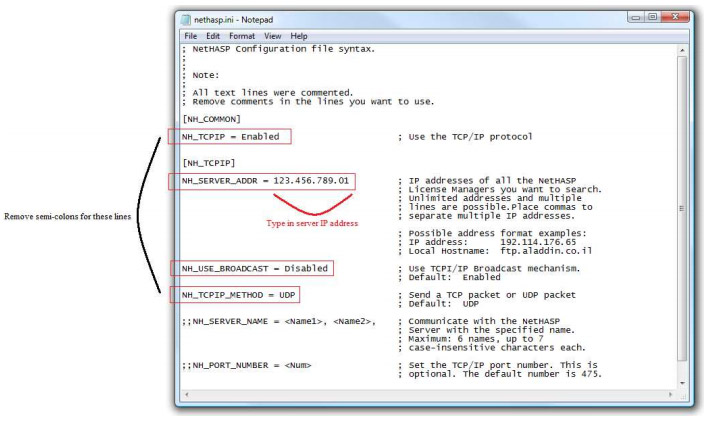
- Try starting PTW32 on the workstations. Make sure that the nethasp.ini file in the bin folder is properly configured on each workstation.