How do I make use of custom labels?
Although standard label formats are most commonly used in Power*Tools, custom labels allow greater ease in designing labels based on user defined needs.
Solution:
In the ArcFlash Evaluation window, click on "Custom Label..."

In the next window, select the Label style you would like to use from the pull down menu.

After a label style has been selected, click on "Designer", the Custom Label Sheet design window will open, then click on "Label Design Detail..".
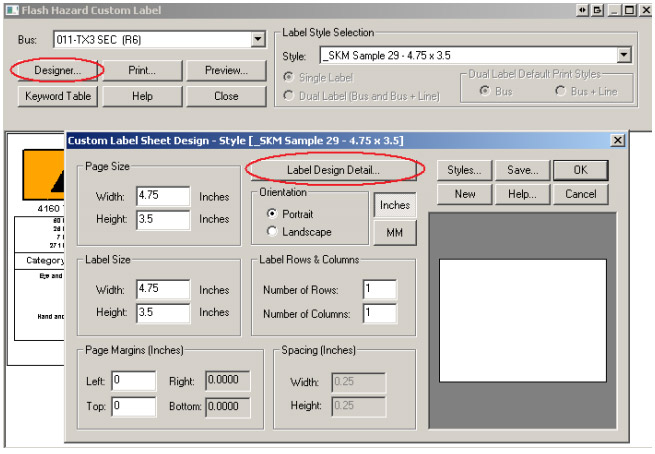
The Custom Label Design window will allow you to further customize the bus labels to maximize usability. Customization include layout of text and data fields.

If you have additional question, please feel free to contact SKM Systems Analysis, Inc. at the number listed below.